
The rewards guide
Pick your reward. Here’s how to use it.
Turn available points into money off your next order, a postcard set, or a Bangboo blind box. Follow these steps before you check out.
Updated: October 19, 2026 · Amounts shown in U.S. dollars
What rewards can I choose?
| Points you spend | Reward you get |
|---|---|
| 100 points | $5 off eligible products |
| 200 points | $10 off eligible products |
| 500 points | $25 off eligible products |
| 1,000 points | $50 off eligible products |
| 100 points | One Zenless Zone Zero postcard set |
| 600 points | One Bangboo blind box — red packaging |
| 600 points | One Bangboo blind box — teal packaging |
These are the current standard choices. The rewards listed in your Points & Rewards account show what’s available to you when you redeem.
Sticker sheets and holographic card sets are no longer offered as new redemption choices. If you already have one of those coupons, check it in your account or contact us for help.
How do I get and use a discount coupon?
- Sign in and open Points & Rewards.
- Make sure your Available points balance covers the reward you want.
- Choose the reward, click Redeem Now, and confirm the points amount.
- Find the generated coupon under your rewards or coupons. Click Apply Coupon where available, or copy the code into the coupon box in your cart or at checkout.
- Check the order summary. The discount should appear before you place the order.
Redeeming and applying are two steps. Redeeming spends your points and creates a coupon. Applying the coupon uses the reward on an order. If you redeem now and shop later, find that coupon in your account when you’re ready.
For example, redeeming 200 points creates a $10 coupon and lowers your available balance by 200 points. Using that coupon on an eligible $60 product subtotal takes $10 off the products. Shipping and any applicable tax are calculated separately at checkout.
How do I redeem a gift?
- Add a regular product you’re buying to your cart.
- Open Points & Rewards and redeem the gift you want.
- Apply that gift’s coupon to the same cart. Keep your account and checkout email consistent.
- Check that the matching gift appears as one reward item at $0. If it doesn’t, stop before paying and contact us.
- Finish checkout with the gift and your regular product in the same order.
The $0 reward listing is for a valid points redemption. Simply adding a reward product to your cart doesn’t redeem points or make it a standalone free order.
Normal shipping rules apply to your original order. If an out-of-stock points gift ships later, we cover the shipping for that separate shipment. Removing the gift coupon can also remove the gift from your cart.
What exactly do I get in a blind box?
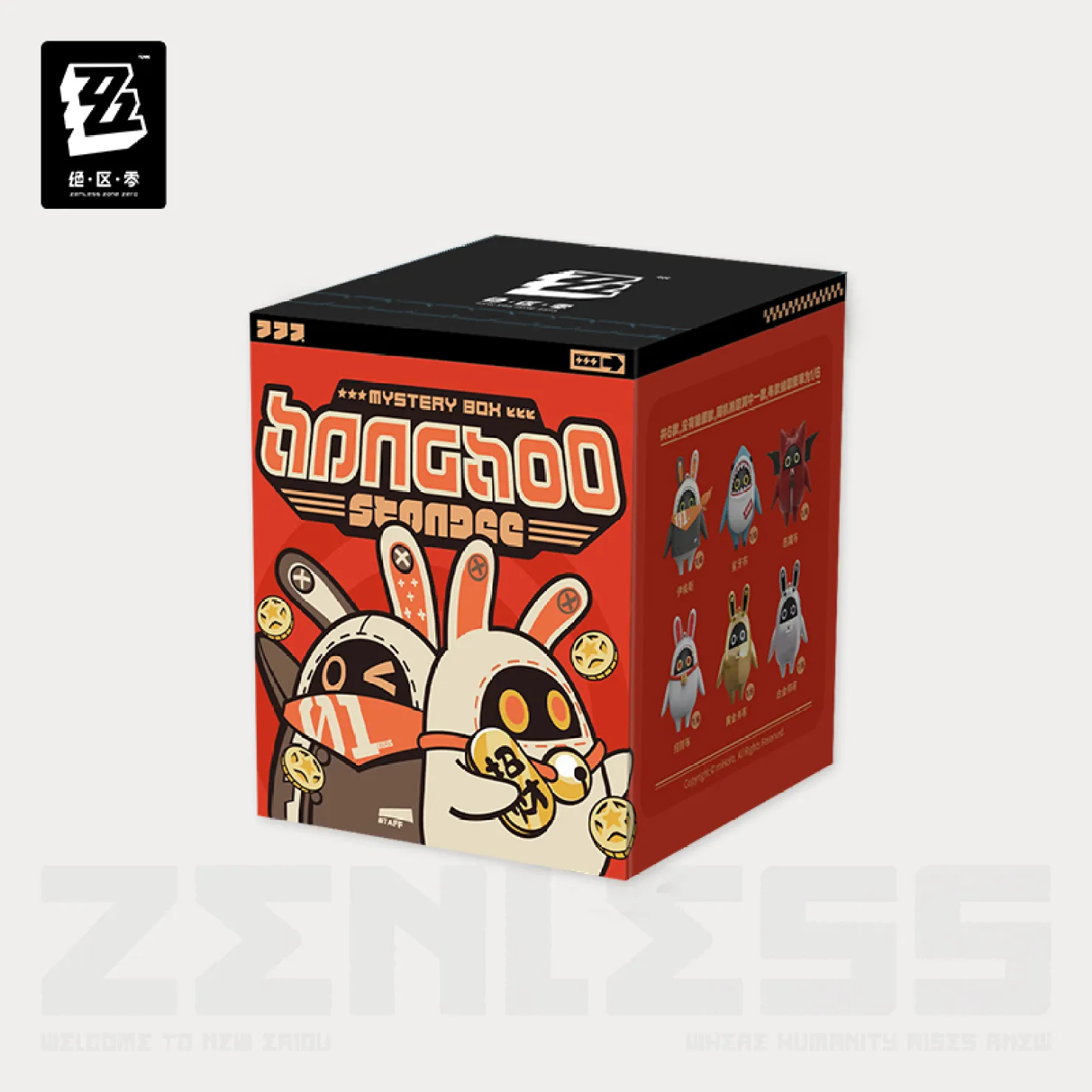
Red box · 600 points
One random Bangboo blind box in red packaging.
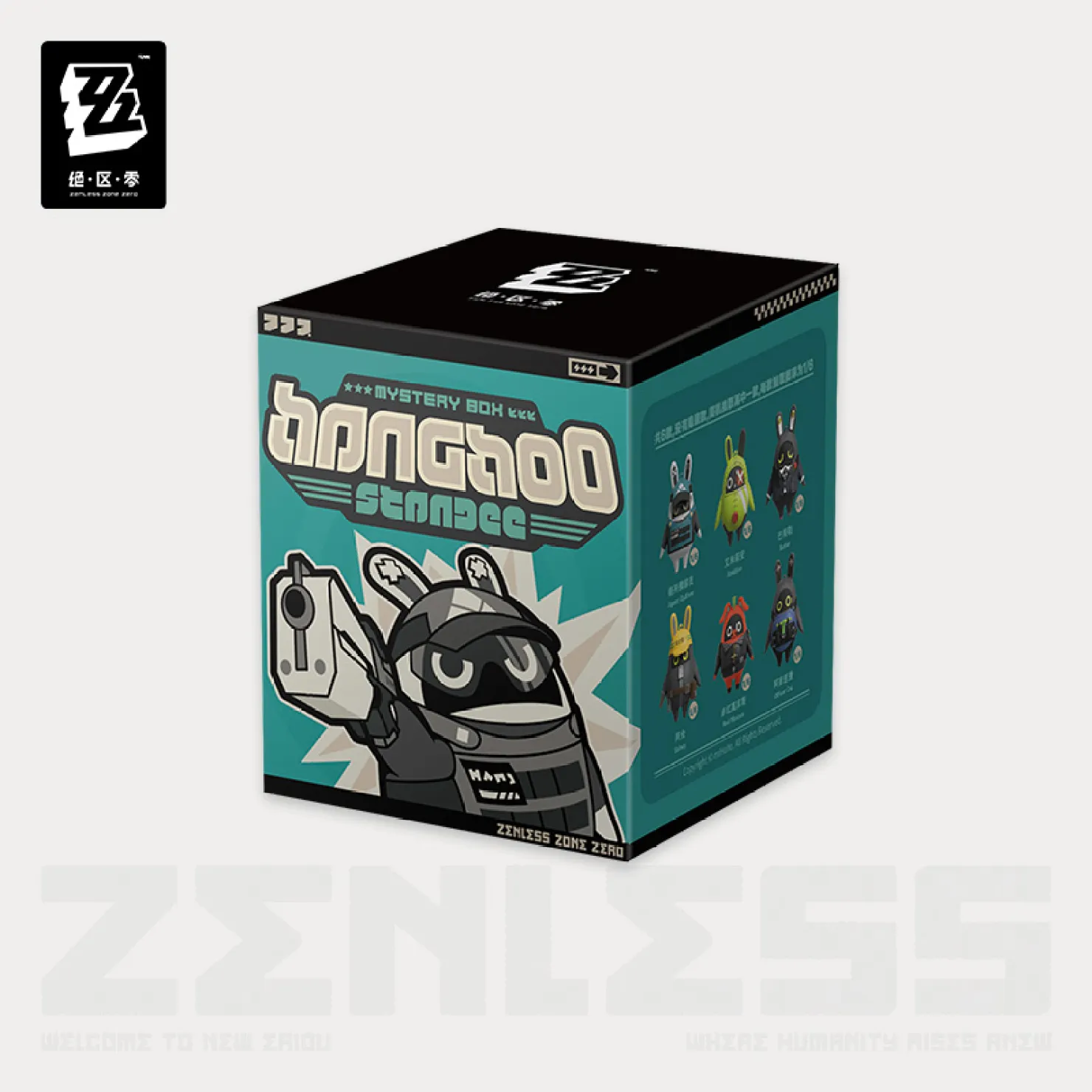
Teal box · 600 points
One random Bangboo blind box in teal packaging.
You can choose the red or teal box reward. You can’t pick a specific character or design inside. Each redemption is for one box, not the full lineup shown on the packaging.
Out of stock? We’ll wait for a restock. If your points gift is out of stock, we’ll send that reward separately once it’s back in stock. We’ll cover the shipping cost for that later shipment. You won’t pay an extra shipping charge for it, and we won’t substitute a different gift.
Can I combine coupons or use two rewards?
No. You can use one points reward coupon per order, and it can’t be combined with another coupon. That includes a promotional code, a second cash reward, or another gift reward coupon.
For example, a $10 points coupon and a 600-point blind box coupon can’t both be used on the same order. Choose the one you want to use for that purchase.
The available cash tiers all have the same points value: 100 points = $5, 200 = $10, 500 = $25, and 1,000 = $50. Saving for a bigger coupon gives you a larger single discount, not a better exchange rate.
Is there a minimum spend or an expiration date?
Your unused points don’t expire. Save them until you’re ready to choose a reward.
There’s currently no extra minimum cart spend set for the standard cash rewards. A discount can only apply to eligible product value; it won’t pay shipping, create a cash payout, or turn an unused portion into cash. Pick a reward that fits your purchase.
The standard reward coupons in this guide are currently set with no expiration date. Still, check the details of your issued coupon before using it, especially if it came from a separate promotion.
Points and reward coupons are for rewards on this store; they aren’t cash withdrawals.
I picked the wrong reward. Can I undo it?
For an unused coupon, look for Revert to points in your account. If that option is available, it cancels the coupon and returns the points. You can then choose a different reward.
Removing a coupon from the cart alone doesn’t return the points you spent to create it. The unused coupon stays in your account. For a coupon that’s already used, or one without a return option, contact us.
If a coupon won’t apply, check the coupon troubleshooting steps before placing your order.
My coupon won’t apply. What should I check?
First, remove any other promo code or reward coupon. Then make sure you’re using the account and checkout email linked to this reward.
Check whether the coupon has already been used or returned to points. For a gift, you also need a regular product you’re buying in the cart and the coupon for that matching gift.
If it still won’t apply, email support@zenlesszonezero.toys with the coupon code and the exact error message. If your points have already gone down, check your existing coupons before redeeming again.